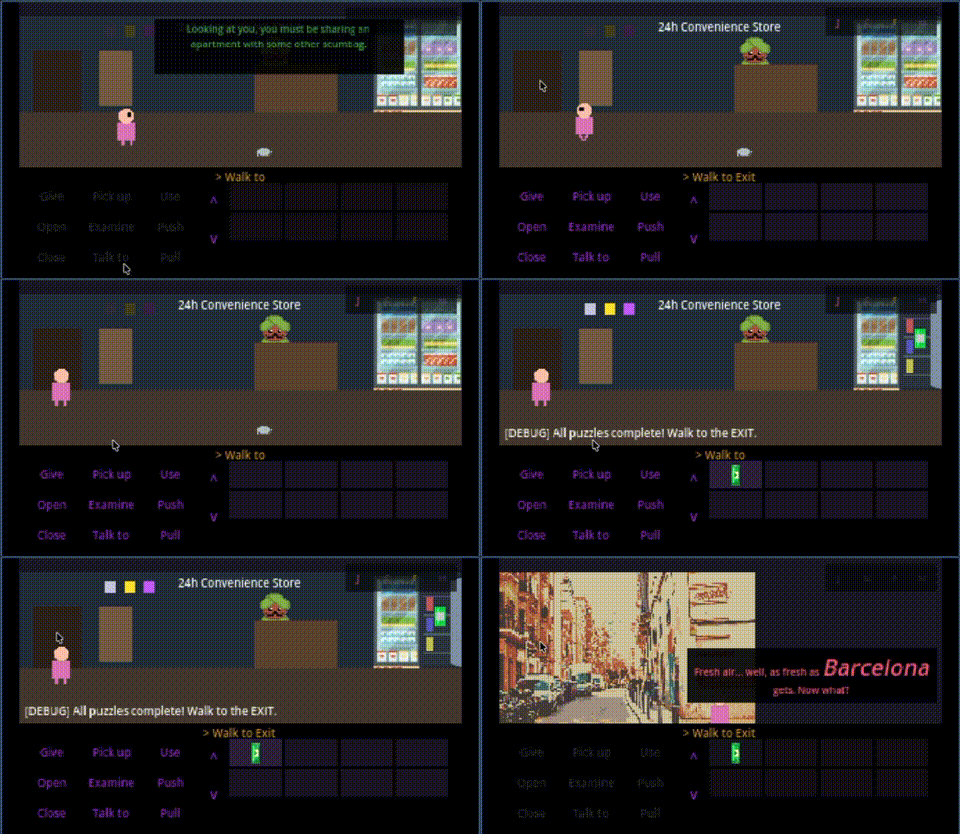
Today was less about new features and more about making the game actually playable and debuggable. I added critical developer tools and fixed fundamental physics issues that were making testing a nightmare.
The Street Scene
First, I added the street scene — the exterior of the convenience store where Jordi can finally step outside after completing the store puzzles. Barcelona awaits.
This required:
- New background art (Barcelona street in pixel art style)
- Navigation polygon for the walkable sidewalk area
- Hotspots for the store entrance and street end
- Entry points for room transitions
- Perspective scaling (characters get smaller as they walk “into” the scene)
The Cheat Code: Press C to Skip
Testing adventure games is tedious. You solve the same puzzles hundreds of times while debugging other things. So I added a debug cheat:
Press C in the convenience store to instantly complete all puzzles:
- Sets all required flags (intro played, items collected, payment done)
- Activates all three LED signals from the other characters
- Adds items to inventory
- Updates all visual states
Now I can test room transitions and character switching without replaying the store puzzles every single time. The cheat only works in debug builds.
The WalkToPoint System
I discovered a fundamental physics problem. Hotspots used hardcoded walk_to_point Vector2 offsets to define where the player should stand when interacting. This was:
- Error-prone — Had to manually calculate pixel offsets
- Brittle — Moving a hotspot in the editor broke the walk-to position
- Invisible — Couldn’t see where the player would walk
Jordi was walking backwards across the screen to reach hotspots. Not good.
The fix: WalkToPoint Marker2D nodes.
Now each hotspot can have a child Marker2D named “WalkToPoint” that you simply drag in the Godot editor:
Hotspot (Area2D)
├── CollisionShape2D
├── WalkToPoint (Marker2D)  ← just drag this
└── Sprite
The system checks for this node first, falls back to legacy offset, then defaults to 20px below the hotspot. This is now a mandatory pattern for all rooms going forward.
Character Room Tracking Fix
Found a bug where switching characters always returned you to the convenience store, even if you’d moved to the street.
The issue: change_room() updated the current room but never told the game which room each character was actually in.
One-line fix:
func change_room(room_name: String, entry_point: String = "default") -> void:
    current_room = room_name
    set_character_room(current_character, room_name)  # ← this was missing
    room_changed.emit(room_name)
Now each character remembers their room and position correctly when you switch between them.
Teleport State Clearing
Another physics bug: when transitioning between rooms, the player would sometimes continue walking in the new room like a ghost.
The teleport_to() function only set the position but didn’t clear the walking state. Fixed:
func teleport_to(pos: Vector2) -> void:
    is_walking = false
    callback_on_arrival = Callable()
    velocity = Vector2.ZERO
    global_position = pos
    _set_animation("idle")
No more haunted walking.
What’s Next
With these foundational fixes in place, the game engine is finally solid enough to build content on. The boring infrastructure work is done.
Next up: populating the street with more hotspots and maybe starting on the apartment building exterior.
Building Pulp Friction one debug session at a time.
Comments
Have thoughts or questions? Join the discussion below!