Under the Hood: The Pulp Friction POC
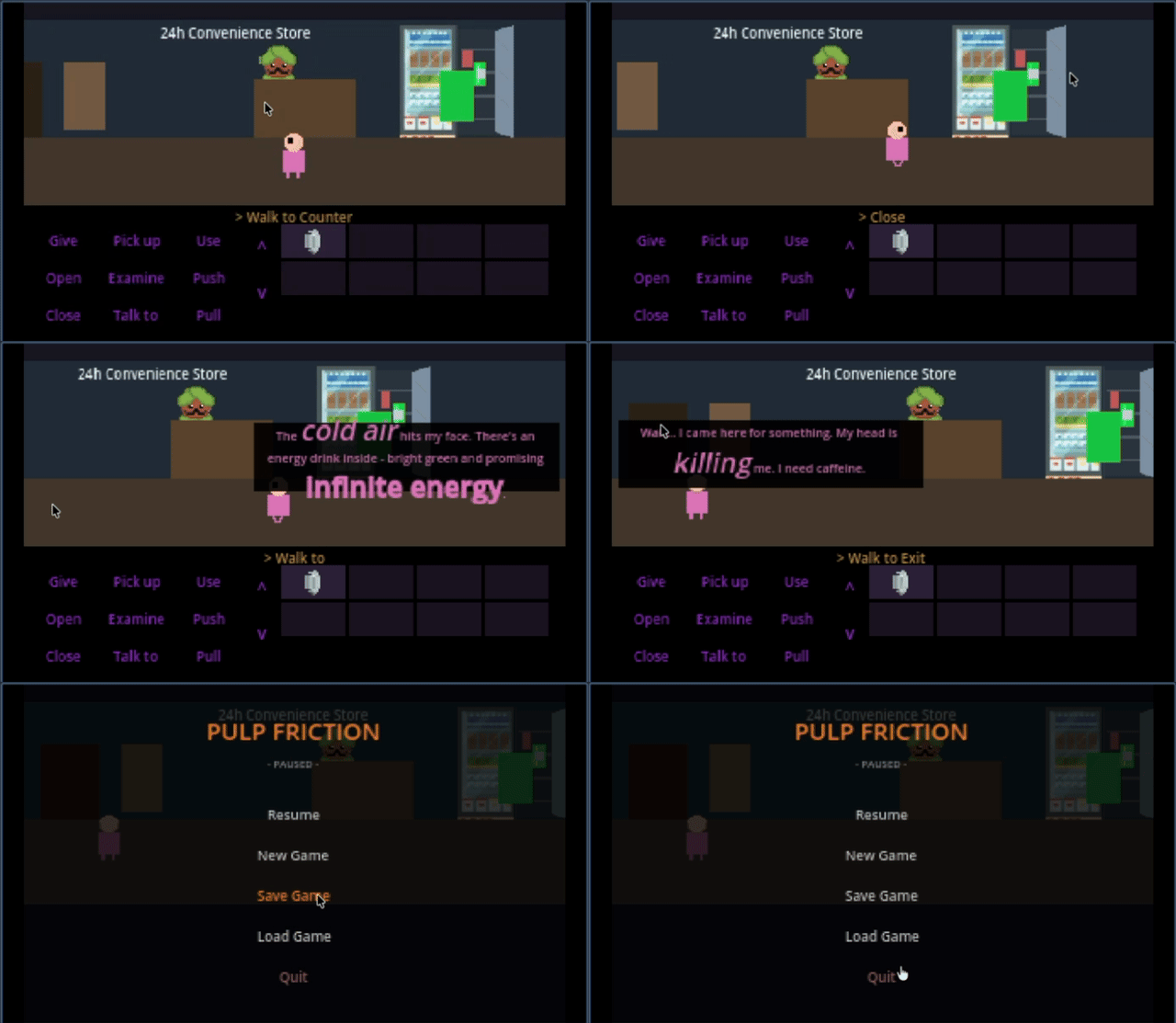
In my previous post, I talked about the dream. Now let’s talk about what’s actually running.
This is a technical breakdown of the proof of concept—what systems exist, how they work, and what you can do in the demo scene.
The Engine: Godot 4.5.1
After evaluating Unity, Defold, and other options, I chose Godot 4.5.1 for several reasons:
- Native 2D engine — Not a 3D engine projecting to 2D
- Zero licensing costs — MIT license, no revenue thresholds
- Linux/ Steam Deck native — Primary target platform
- GDScript — Python-like syntax, fast iteration
- Scene system — Perfect for room-based adventure games
Development Approach: AI-Assisted Engineering
This POC was built using Claude Flow, an AI-assisted development framework. Claude Flow enables parallel agent orchestration for complex software projects.
What does that mean in practice? Instead of writing every line manually, I collaborate with AI agents specialized in different areas—architecture, implementation, testing. I make the decisions; the agents help execute them faster than I could alone.
This is not “AI wrote my game.” This is “AI removed the friction between idea and implementation.”
For puzzle design visualization, I’m using the Puzzle Dependencies plugin by Nathan Hoad. It provides a visual graph editor to map puzzle logic—what unlocks what, what items are needed where. I’ve extended it to export JSON that integrates with my game’s StoryManager.
Core Systems Implemented
1. The Verb System
The heart of any LucasArts-style adventure. Nine verbs, always visible:
| Verb | Action |
|---|---|
| Examine | Look at objects, get descriptions |
| Talk to | Start dialogue with NPCs |
| Use | Interact with objects or use inventory items |
| Pick up | Add items to inventory |
| Give | Give inventory items to NPCs |
| Open | Open doors, containers, etc. |
| Close | Close things |
| Push | Push objects |
| Pull | Pull objects |
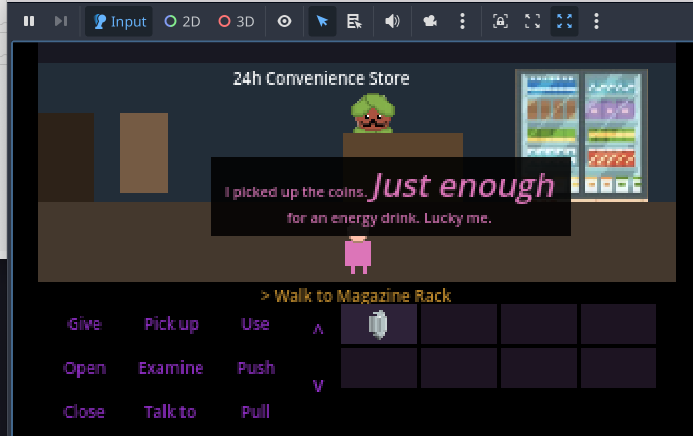
The verb bar highlights the selected verb. Click a verb, then click a hotspot—classic SCUMM interface.
No dead clicks. Every verb on every hotspot returns feedback, even if it’s “That doesn’t work.”
2. Hotspot System
Every interactive element in a room is a Hotspot node with:
- Display name — What appears in the UI (“Energy Drink”, “Counter”, “Jatin”)
- Walk-to point — Where the player moves before interacting
- Verb responses — What happens for each verb
- State awareness — Can change based on game flags
Hotspots emit signals when clicked. The room script handles the logic.
3. Inventory Management
InventoryManager (Autoload)
├── add_item(item_id)
├── remove_item(item_id)
├── has_item(item_id) -> bool
├── get_items() -> Array
└── combine_items(item1, item2)
Items are defined in items.json with:
- ID, display name, description
- Icon path
- Combinable flag
- Combination results
The inventory UI shows items as clickable icons. Select an item, then click a hotspot to “Use X with Y”.
4. Dialogue System
Branching dialogues stored in JSON:
{
  "start": {
    "speaker": "Jatin",
    "text": "Welcome! Can I help you?",
    "responses": [
      {"text": "Just looking.", "next": "browsing"},
      {"text": "Do you have energy drinks?", "next": "drinks"}
    ]
  }
}
Features:
- Conditions — Show options only if flags are set
- Consequences — Set flags, give items, trigger events
- Dynamic text — Insert variables into dialogue
5. Game State & Flags
GameManager (Autoload)
├── set_flag(name, value)
├── has_flag(name) -> bool
├── get_flag(name) -> value
├── current_verb
├── selected_item
└── current_room
Flags track everything: “talked_to_jatin”, “has_energy_drink”, “has_paid”, etc. Puzzles check flags to determine what’s possible.
6. Room & Scene Management
Each room is a scene with:
- Background — The room art
- NavigationRegion2D — Walkable polygon
- Hotspots — Interactive elements
- NPCs — Characters in the room
- Entry points — Where player appears from different exits
Room transitions preserve player state. Leave a room, come back—everything’s where you left it.
7. Character Movement
The player character uses Godot’s navigation system:
- Click destination
- Calculate path via NavigationAgent2D
- Animate walk cycle
- Z-sort based on Y position (depth sorting)
The sprite sheet has idle and walk animations for 4 directions.
8. Localization
All strings externalized in CSV:
KEY,es,en
VERB_EXAMINE,Examinar,Examine
VERB_TALK_TO,Hablar con,Talk to
ITEM_ENERGY_DRINK,Bebida energética,Energy Drink
Godot compiles these to .translation files. Switch language at runtime.
The Convenience Store Scene
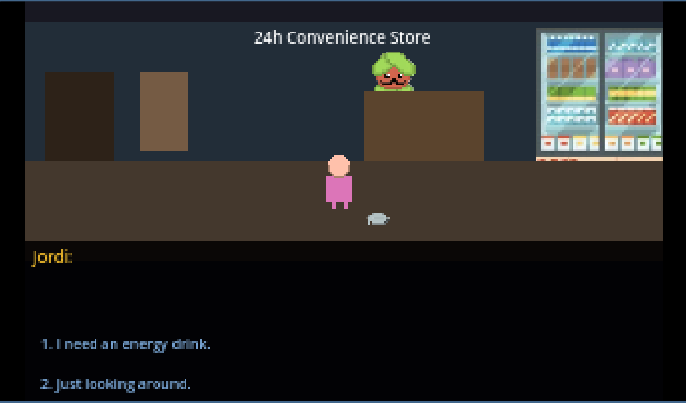
Let me walk you through what you can actually do in the POC.
The Setup
You’re Jordi, standing in a small convenience store. Behind the counter is Jatinder (everyone calls him Jatin), the shopkeeper.
The room contains:
- Jatin — The shopkeeper NPC
- Counter — Where transactions happen
- Fridge — Contains drinks
- Energy Drink — Inside the fridge
- Coins — On a shelf
- Exit door — Leads to the street
The Puzzle
The goal: get an energy drink and leave the store.
Step 1: Explore
- Examine everything to understand the environment
- Talk to Jatin to establish the context
Step 2: Get the drink
- Open the fridge
- Pick up the energy drink
- It goes to your inventory
Step 3: Try to leave
- Walk to the exit
- Jatin stops you: “Hey! You need to pay for that!”
Step 4: Find money
- Look around the store
- Find coins on a shelf
- Pick up the coins
Step 5: Pay and leave
- Talk to Jatin with both items
- The transaction happens automatically
- Now you can exit to the street
What Makes It Work
This simple puzzle demonstrates:
- Inventory gates — Can’t leave without paying
- State tracking — Game knows what you’ve picked up
- NPC awareness — Jatin reacts to your inventory
- Multiple solutions — (In the full game, there might be ways to distract him…)
Project Structure
game/
├── scenes/
│   ├── main.tscn              # Main game scene
│   ├── rooms/
│   │   ├── convenience_store.tscn
│   │   └── street.tscn
│   └── characters/
│       ├── player.tscn
│       └── jatin.tscn
├── scripts/
│   ├── autoload/              # Singletons
│   │   ├── game_manager.gd
│   │   ├── inventory_manager.gd
│   │   ├── dialogue_manager.gd
│   │   └── save_manager.gd
│   ├── systems/
│   │   ├── hotspot.gd
│   │   └── room.gd
│   └── ui/
│       ├── verb_bar.gd
│       └── dialogue_ui.gd
├── assets/
│   ├── sprites/
│   ├── dialogues/
│   └── localization/
└── story_data/
    └── acts/act1.json         # Puzzle dependencies
What’s Not Done Yet
This is a POC, not a finished game. Missing:
- Save/Load UI (system exists, no UI)
- Multiple playable characters
- Full art assets (using placeholders)
- Sound effects and music
- More rooms and puzzles
- The actual story content
But the foundation is solid. Every system can be extended.
Next Steps
With the core systems working, the next phase is:
- Art pass — Replace placeholders with real pixel art
- Story writing — Document the full narrative
- Puzzle design — Map out all puzzles using Puzzle Dependencies
- More scenes — Build out the game world
The hard part—the engine work—is done. Now comes the fun part: making a game.
Credits & Acknowledgments
This project uses the following open-source tools and libraries:
| Tool | Author | License |
|---|---|---|
| Godot Engine | Godot Engine contributors | MIT |
| Puzzle Dependencies | Nathan Hoad | MIT |
| Claude Flow | rUv | MIT |
All tools are used in accordance with their MIT licenses, which permit commercial use, modification, and distribution with attribution.
Marc Modular Taiga Games
Comments
Have thoughts or questions? Join the discussion below!